Manually Set a Static IP Address

Manually Set a Static IP Address


Set a manual static IP address


If you need to set a manual static IP address on a Windows 10 PC


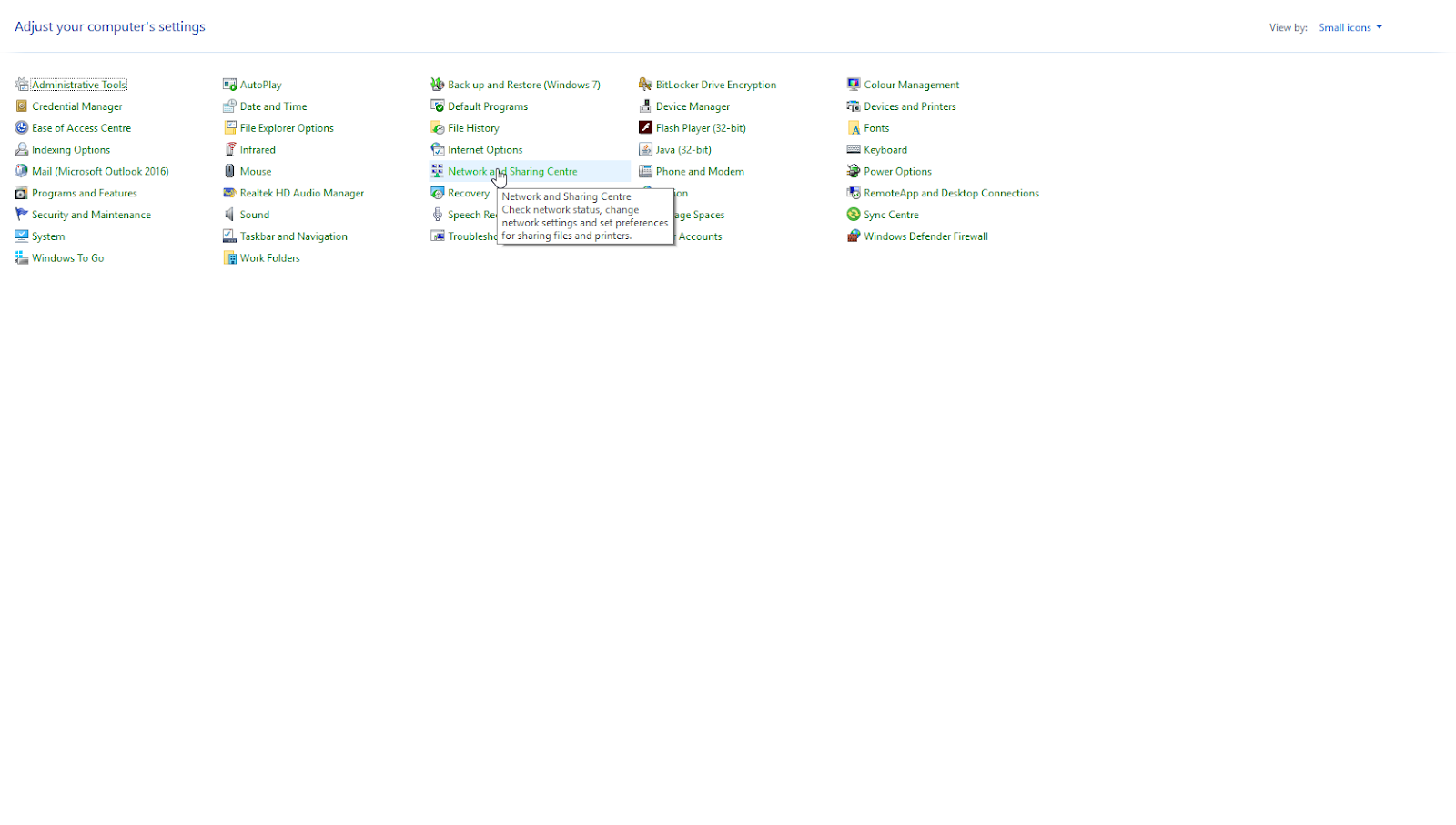
Start by opening the Control Panel and selecting “Network and Sharing Centre”.

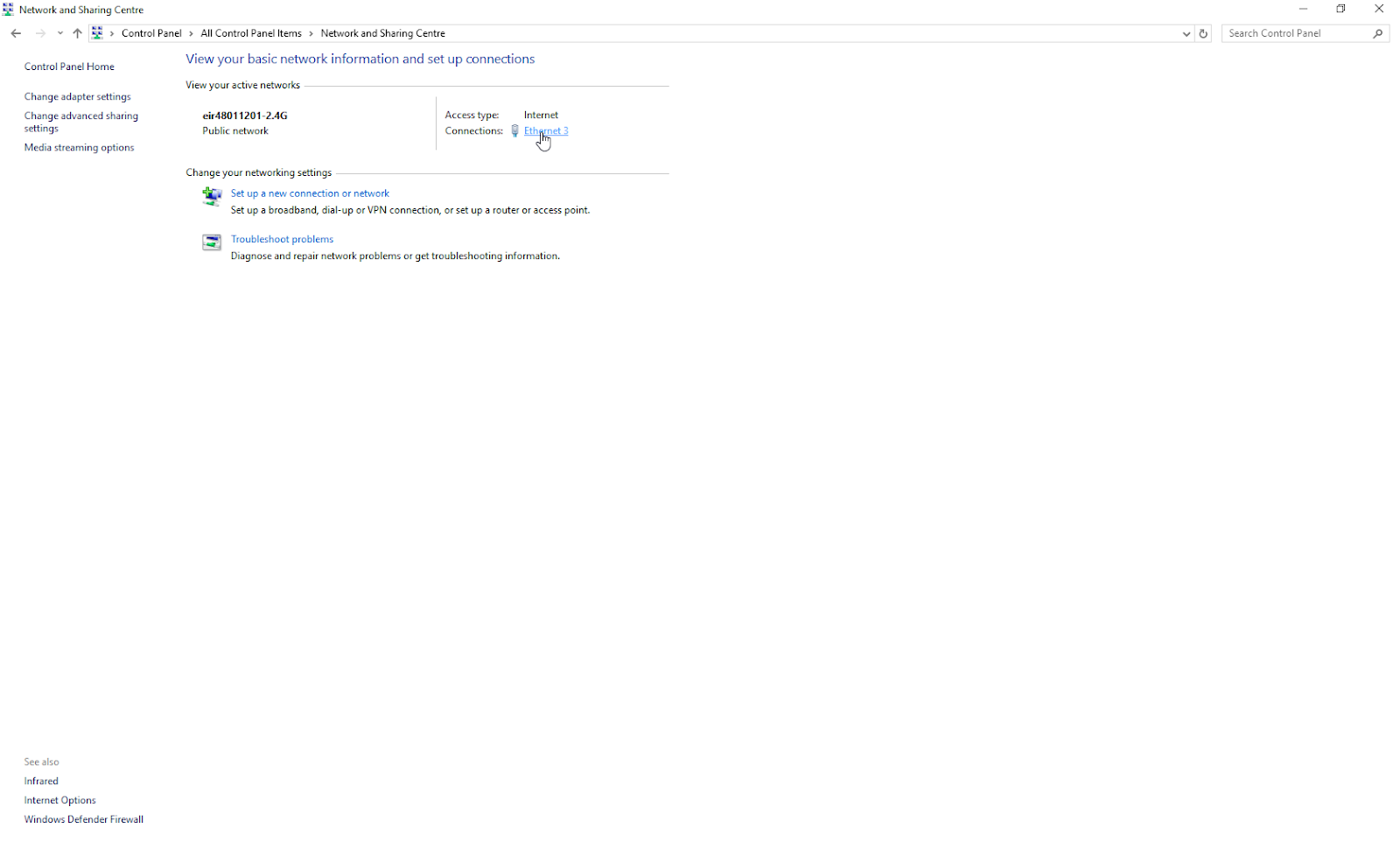
This will display the active network port, click on this:

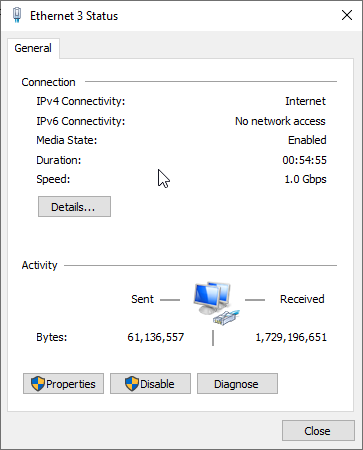
This screen will display and select properties:

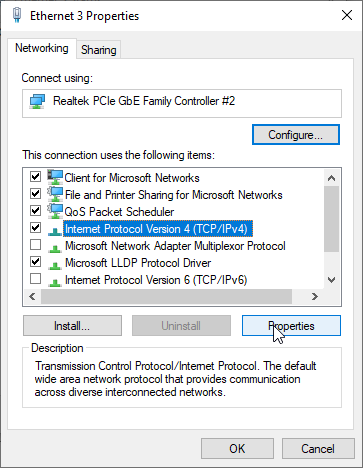
Next Highlight the Internet Protocol Version 4 (TCP/IPv4) and click properties:
Next Select Use The following IP address and USe the following DNS server addresses and enter the details supplied by IT.
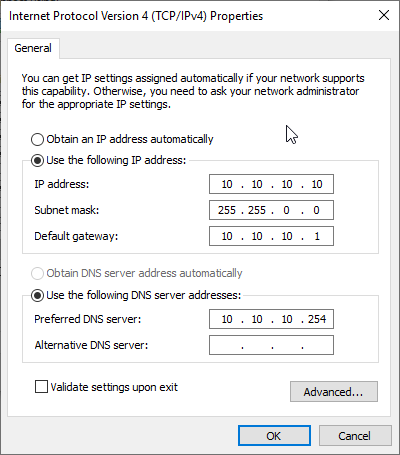


Click OK and close, the static IP address is now set.


Version History 

Version

Date

Detail

Author

1.0

24/06/2019

Document Created

Brendan Fox

2.0

25/05/2020

Transferred to Zoho

Charles Quain


Retention Policy

Permanent

X


    • Related Articles

    • How to get Wifi mac address for Whitelisting (Windows)

      How to get Wifi mac address for Whitelisting (Windows) If you require a Windows device to be whitelisted on the library Wifi so you do not have to login in, you need to supply the device wireless mac address to interleaf. To get this information ...
    • How to set patron flags

      There are two standard flags that can be applied to patron accounts. This document is intended to outline the different default patron flags available on the patron account. Navigate to a patron account to apply the flags Go to the patron account and ...
    • How to set the overdue report to run automatically or manually

      This document will outline the options for setting the overdue report to run either automatically when it is clicked or to run only after the filters have been manually set. Navigate to the FilterBeforeOverdueReport system preference Go to Koha ...
    • Zoho Desk: How to change your email address in Zoho Customer Portal.

      Sign in to Zoho Portal with your current email address and password.  Click on the user profile,  Edit Profile Update email address             Please see the screenshot below for your reference.                      Once the email address has been ...
    • How to address GONE patrons with items checked out

      Summary of the issue Once a year patron accounts are updated so students move into their new yeargroups and new first years are added to the site. At this time any students that were in their final year of study will be sent to GONE, indicating they ...