Renewing Serial Subscription

How to renew expired subscriptions:
If the serial subscription has expired you won’t be able to receive issues. To renew the subscription you can click the ‘Renew’ button at the top of the subscription detail page or click the link to Renew this subscription.
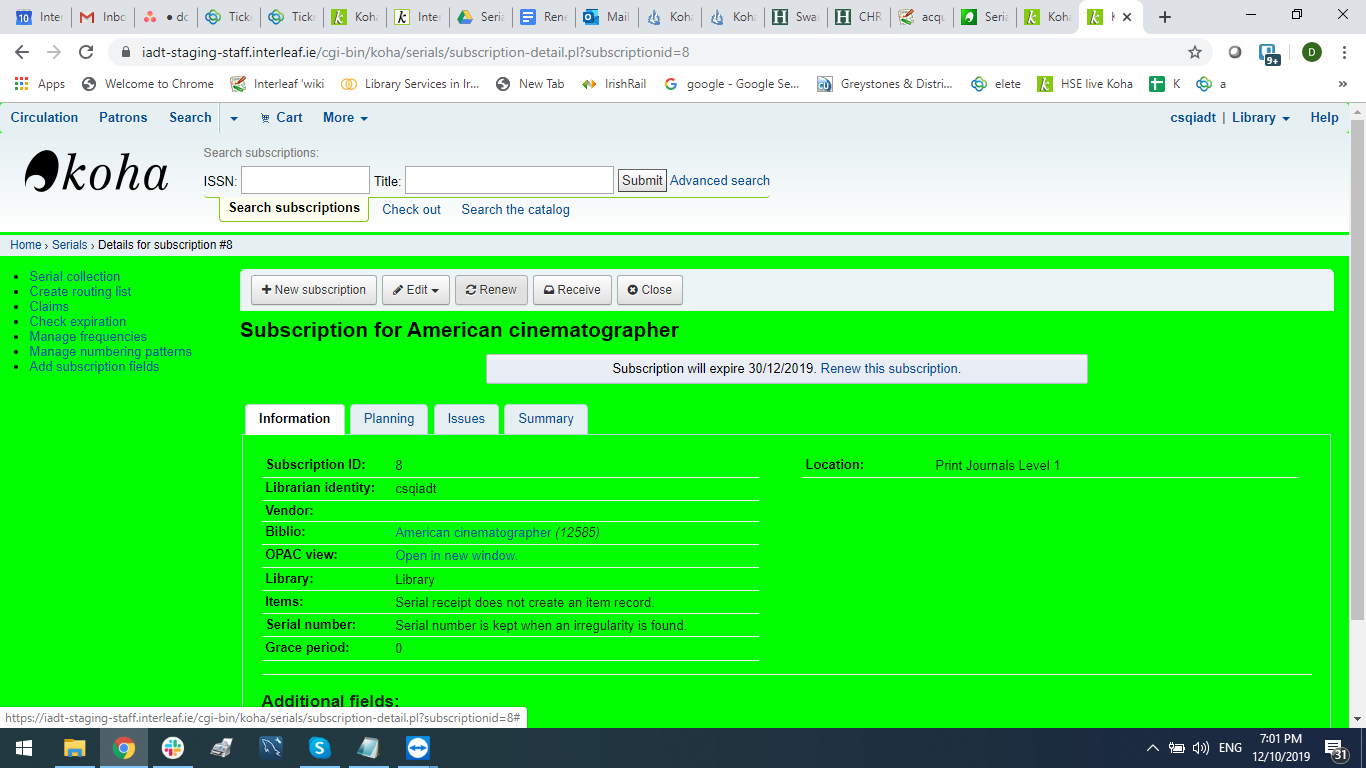
Either option will take you to the Renewal window:
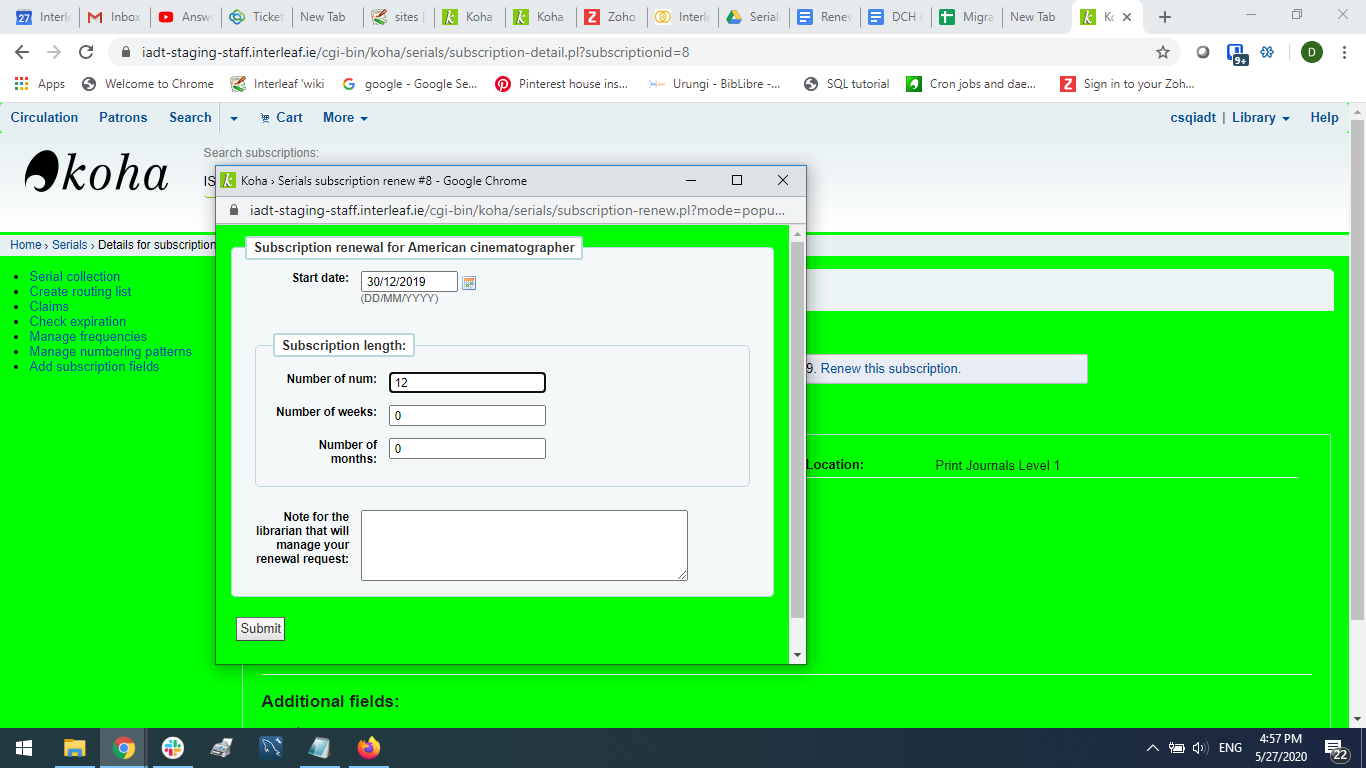
The start date should be the date your subscription period starts.
For the subscription length you’ll want to fill in one of the three fields presented: Number of issues, Number of months or Number of weeks.
Finally enter any notes you might have about this renewal and click the Submit button.