What to do if Circulation Rules stop working

What to do if Circulation Rules stop working
If the circulation rules stop working suddenly, check that you have not inadvertently set a new rule for your own library that is blocking the Standard rules for all libraries.
Go to Administration, and then Circulation and Fines Rules
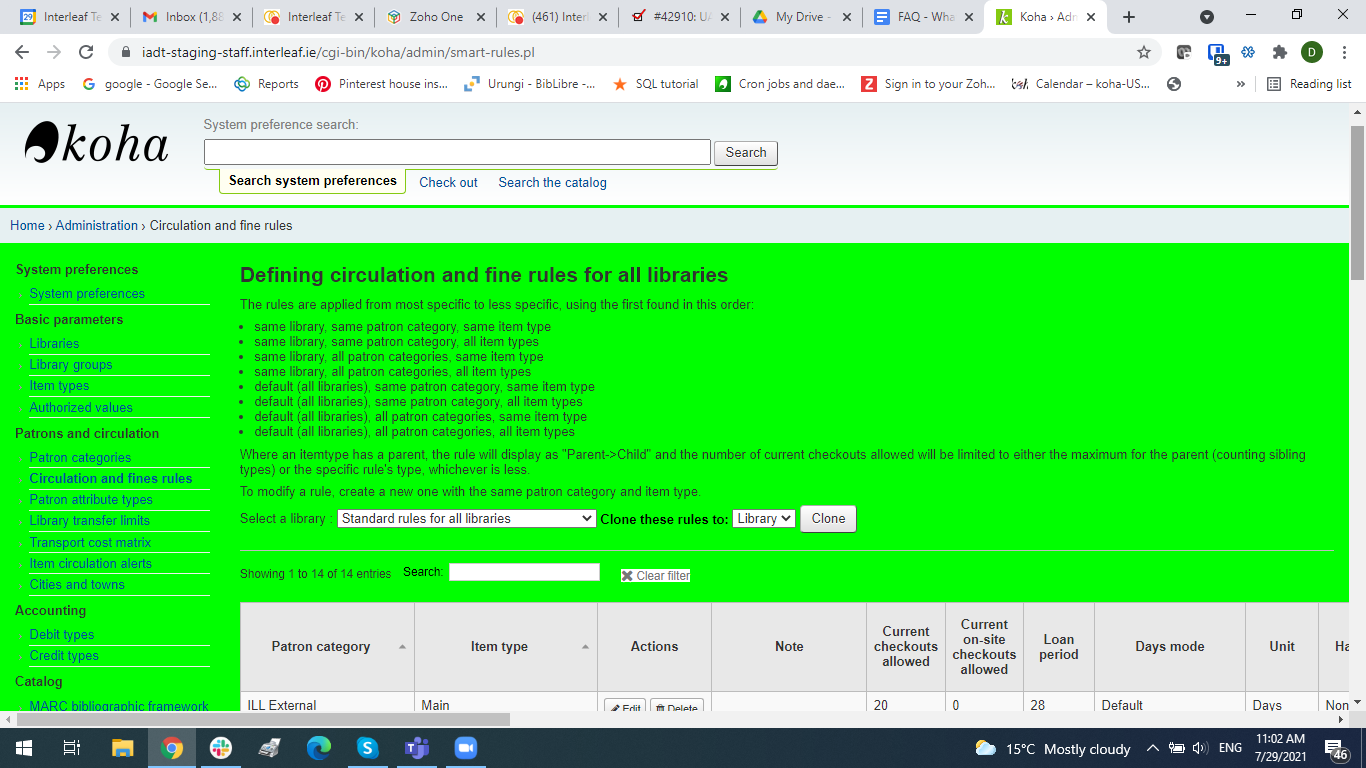
The Standard rules for all libraries will be displayed by default, and generally these are the only rules that are defined because whether you have a single library or multiple libraries, the same lending rules usually apply.
If you click on the dropdown option to Select a library you can select each of the libraries you have set up on Koha. Unless you know that you have created separate rules for each library you will expect to see no files defined.
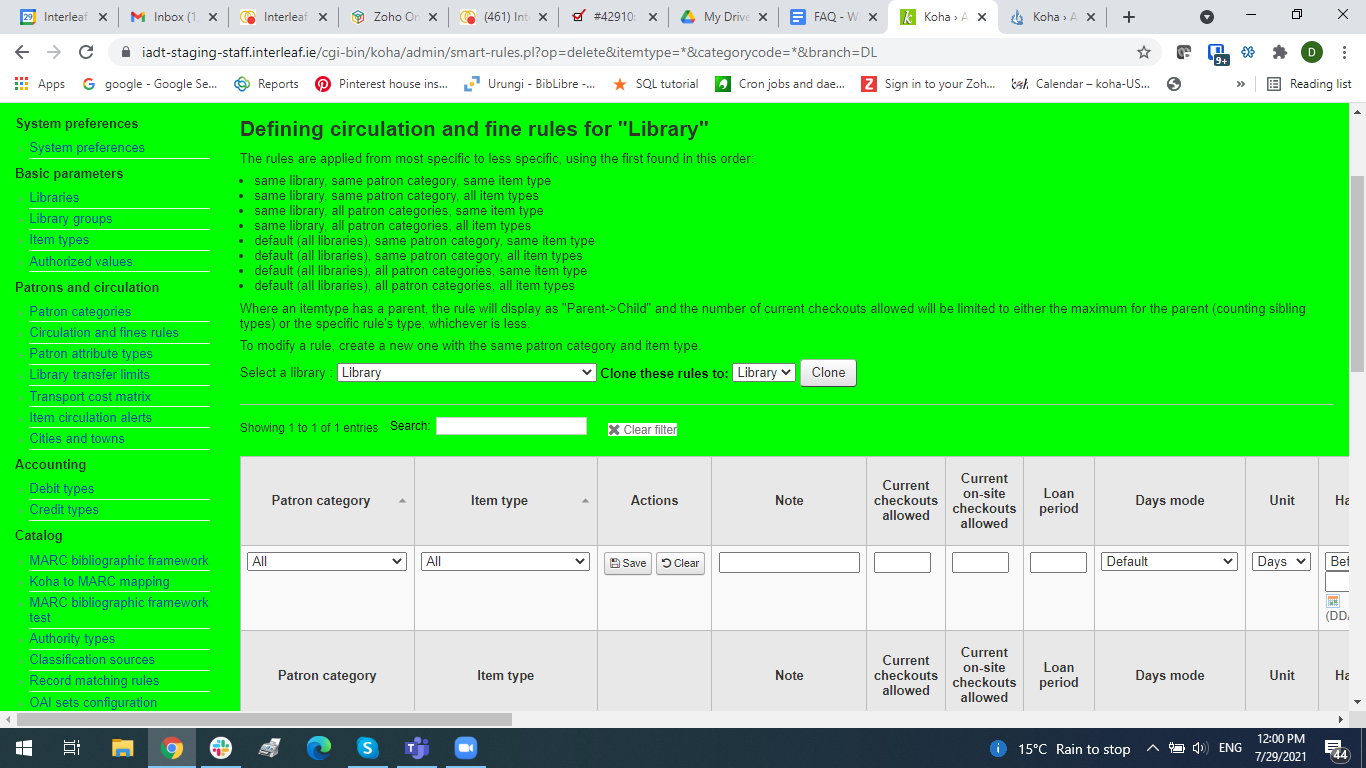
If you see a rogue rule, delete it. If you are unsure please contact Interleaf.